Category Archives: Uncategorized

Drone photography and tech topics at our next meeting

Our next meeting is October 5, 7:30 in 404 Plant Science (our usual meeting room). This will be a technology-focused meeting.

Update:  Adam won’t be able to make it, so Paul will present on approaches to storing and managing electronic images. He has a brief presentation on some new software he is learning to use. We will have time to share one or two images that you would like feedback on- any subject or topic. 

Professional photographer and videographer Adam Baker will share what he has learned in getting involved with drone photography. This is a rapidly developing imaging technology. Although few of us may use this equipment, Adam will give us an introduction to what is involved.  We also will continue a discussion begun at the last meeting on how to store images. Paul will lead the discussion, but we will share and get feedback on the variety of approaches used by CNP members.

Our photo assignment for the November meeting is “Best of Fall.” How you represent the fall season is up to you. It is a major transition for the temperate natural world. There are lots of opportunities for creativity or an excuse to visit favorite or new locations.

Hope to see you next Thursday!
March 2 meeting info

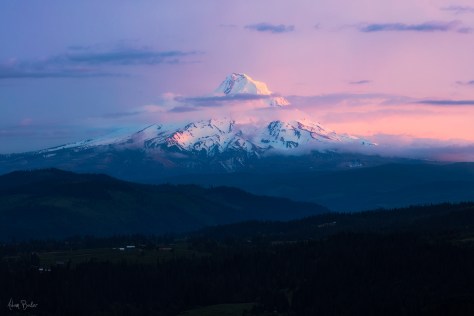
adam_baker-mountainOur March photo sharing theme will be “patterns of winter”.  Adam Baker will give a presentation on his journey though the Columbia River Gorge and the Oregon coast.  The photo above was shot by Adam during his trip, and it will be a real treat to hear the backstory of his stunning photography.
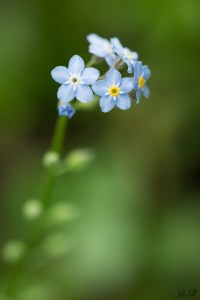
Feb. 4 photo shoot at the Bailey Conservatory

forget-me-not-960Brian has arranged to have the L.H. Bailey Conservatory available for our use on Saturday, February 4 from 9:00 -11:00am. This is the large greenhouse along Tower Road in front of the Plant Science Building. The Conservatory was recently rebuilt and restocked with displays of interesting plants. There are opportunities to practice macrophotography with Paul and Kathy available to share their approaches to greenhouse photography. Gather your tripods, macro lenses and related gear and join us!
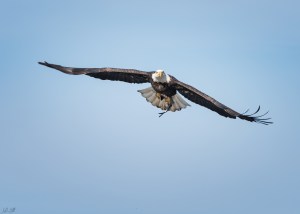
Feb. 2 meeting: A special presentation on putting nature in video

conowingo-eagle_2016-12-14_266-fbJoin us for a presentation by Professor Emeritus Charles Walcott on the process of Putting Nature in Video. A distinguished ornithologist and science communicator, Prof. Walcott will describe his equipment, techniques, and approaches for producing short videos on the natural history research of his colleagues. Those interested in developing or improving their skills with video photography are welcome.
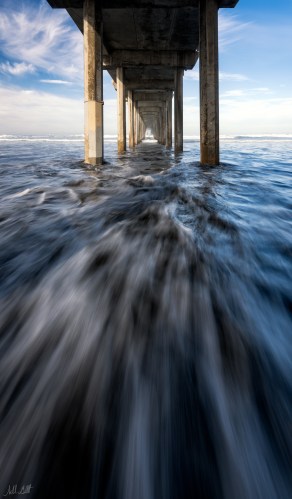
January 5th meeting: share your best images of 2016

la_jolla_2016-11-12_87-fb
Happy New Year!  Our first meeting of 2017 will include a look back at your best images of 2016 as well as a preview of exciting  events for the coming year.

Our photo sharing theme will be “your best of 2016“.  Bring your top three images.  Editing down to three is challenging but a really good exercise.

Brian, our new president, has been hard at work setting up an events schedule for 2017, including speakers, a post-processing workshop, and photo opportunities.  Come to the meeting to find out more!


December 1, 2016 meeting info

Our photo sharing theme will be “Three at one place”.  There are a few ways you can approach this theme.  You could bring three images that show a stepwise refinement that distills the image down to the essential elements, so there are few distractions.  Alternatively, you could bring three images that challenge the idea that they came from the same place.  Another way would be to bring three images that are identical but represent different post-processing approaches.  There’s lots of room for creativity here.

We’ll also discuss progress on upcoming workshops and speakers.  Looking forward to seeing everyone!

Pre-meeting photo shoot on September 1

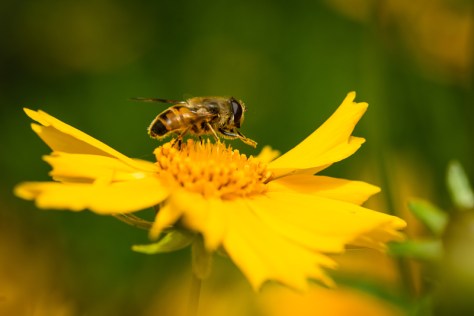
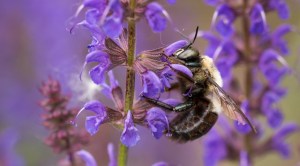
Bee on flowerWe’ll have a pre-meeting photo shoot in Herb Garden of the Cornell Plantations at 6:00pm on Thursday. Meet in the formal gardens next to (just east of) the Nevin welcome center.  The gardens are looking great and there will lots of opportunities to work with each other on macro techniques.  I’ll bring my close-up filter which will fit any lens with a 77mm filter thread and give you macro capabilities.
Pre-meeting photo shoot on July 7

sunset-bee-60s

We’ll have a pre-meeting photo shoot at the Cornell Plantations at 6:00pm on Thursday. Meet in the formal gardens next to (just east of) the Nevin welcome center. The light should be great. Bring macro gear if you have it. There should be good bee- and butterfly-chasing opportunities too!

Noise reduction using Nik Define 2

by Paul Schmitt

Digital cameras offer the photographer the ability to immediate boost the ISO speed in response to low light conditions. One of the arguably most powerful plug-ins for noise reduction comes in the Nik Collection. ( See https://www.google.com/nikcollection/ ) Within the collection one finds Define 2. Notable, at present there is no charge for the Nik Collection. Here is an example of what can be done.

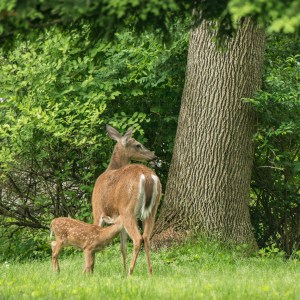
On this rainy morning, I looked out my kitchen window to see a doe with fawns in the neighbor’s lawn. Grabbing a camera, I ran the speed up to ISO 1250 on my Nikon D800 and edged around the sunroom corner to capture a few images.

After some cropping for composition, here is one photo.

PRE NR Nik-20160608_663


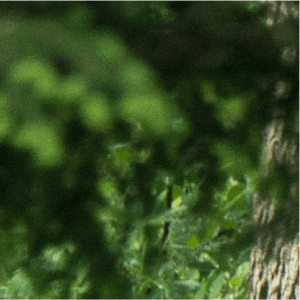
Let’s look at a 1:1 sample from the top edge of the photo. Note the speckle in the medium green areas.

closeup

Within either Lightroom, you select Library>Photo>Edit In>Define 2. (For Photoshop go to the Nik Selection menu box to find Define 2.) For my photo, I got the following screen. Note the four small boxes where Define 2 has found a region of uniform tone. Usually it finds larger regions. If the tone is uniform, then what variation exists is noise, so there is a baseline to reduce the noise.

deer in Nik

Generally, the automatically selected areas work fine.  The frame in the lower right area shows a split screen of uncorrected and corrected. Moving your mouse pointer around the image reveals the change expected. If it looks good (and it nearly always looks terrific), then select save and look for an output TIFF file in your Lightroom or Photoshop catalog.

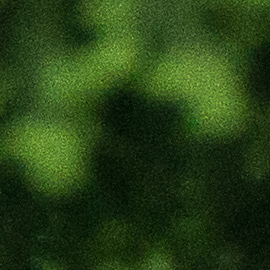
So, for this case at ISO 1250, let’s look at a greatly enlarged sample of the before (top image) and after (bottom image).

DETAIL-PRE NR Nik-20160608_663

DETAIL-POST NR Nik-20160608_663-Edit

The Define 2 has worked well for this example as it does for the majority of images. On a few images, it has been unable to find regions of uniformity in which case I have usually settled for the Adobe noise reduction.

Give Define 2 a test drive and decide for yourself. It is revealing to shoot purposefully at high ISO and explore the limits of your camera sensor and Define 2.